+251 99 380 2995 | +251 97 022 2227 | [email protected]
Rotary Encoder
Br 500.00
- Model: KY-040
- Working Voltage: 5V
- Pulse Count Per Circle: 20
- Pulses/360° Rotation: 20
- Output: 2-bit gray code
- Mechanical Angle: 360° continuous
- With built in push button switch (push to operate)
- Dimensions: (30 x 18 x 30) mm
- Compatible with Arduino/Raspberry Pi controller board
- It provides information on the relative position of the shaft
- It provides information on the direction of rotation of the shaft
- It provides information if the shaft is depressed like a pushbutton
- The rotary encoder can count the quantity of output pulse in the positive and negative direction rotation.The rotation counting is unlimited. An incremental encoder is a rotating sensor that converts rotation.
- 360 Degrees Rotary Encoder Module
- The KY-040 rotary encoder is a rotary input device that provides an indication of how much the knob has been rotated and what direction it is rotating in. It’s a great device for stepper and servo motor control. You could also use it to control devices like digital potentiometers.
- It is continuously variable which means you can continue to spin the shaft around in one direction for as long as you want. It has not mechanical stop.
- Inside a rotary encoder, there’s a circular disc with evenly spaced slots. This disc is attached to the knob you turn. The disc connects to a pin called “C,” which serves as the common ground. The encoder also has two other important pins, called “A” and “B.” These pins will help us figure out which direction the knob is turning. When you turn the encoder’s knob, the slotted disc rotates along with it. As this happens, pins A and B repeatedly make contact with the common ground (pin C). The important thing to understand is how they make contact. Because of the way the slots are arranged, pins A and B don’t touch the ground at the exact same time. One pin always touches just before the other. This creates two separate signals that are slightly out of sync. In technical terms, they are “90 degrees out of phase”. So how do we figure out which way the knob is turning? We do this by watching the state of pin B at the exact moment pin A changes its state.
- Rotary encoders can be used for a number of different useful applications. One of the most common applications is to use it to scroll through information like a menu on an LCD display such as a 16 x 2 line LCD display and then select that item on the display when the shaft is pushed. It could be used for interacting with a stepper motor or something similar where rotation the rotary encoder results in a similar rotation of the stepper motor. Another application could be to attach a wheel of a known diameter to the shaft and as the wheel is rotated along the ground, the distance covered can be calculated.
When pin A changes its state:
- If pin B’s state is different from pin A (B ≠ A), then the knob is being turned clockwise
- If pin B’s state is the same as pin A (B = A), then the knob is being turned counterclockwise
- This method of tracking movement is called Quadrature Encoding.
Pin Configuration
- + (VCC) supplies power to the encoder. Usually, you connect it to either the 5V or 3.3V pin on your Arduino.
- GND is the ground connection.
- SW-Switch(C) is connected to a built-in push-button inside the encoder. Normally, this pin is held “HIGH” (at a positive voltage) by using Arduino’s internal pull-up resistor, or by using an external pull-up resistor. When you press the button, the SW pin is pulled down to “LOW”.
- CLK(A) pin provides one of the two quadrature output signals used to detect rotation. You will connect this pin to a digital input pin on your Arduino.
- DT(B) pin provides the second quadrature output signal. This signal is similar to CLK, but it’s 90 degrees out of phase with it. Like the CLK pin, you connect DT to another digital input pin on your Arduino.
You may also like…
-

Tachometer Speed Sensor
Br 600.00 -

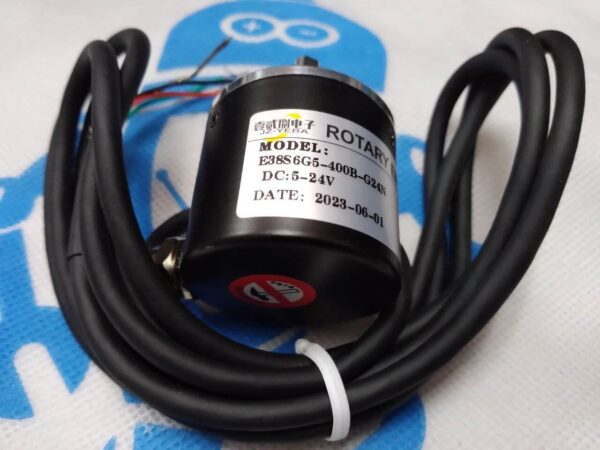
Rotary Encoder E38S6G5-400B-G24N
Br 3,000.00 -

Potentiometer
Br 300.00
Related products
-

Voice Record and Playback Module ISD1820
Br 650.00 -

MT8870 DTMF Decoder Module
Br 550.00 -

Buck Converter HCW-P715
Br 950.00 -

Keypad 4X4
Br 700.00


